As mentioned in the previous post, communication between µTracer and PC uses the obsolete RS232 interface, and unless your PC is old enough to have an RS232 port, you will need an RS232-to-USB-adapter.
During initial test and calibration, I used a USB adapter cable, but then came up with the idea to make a plug-in adapter that fits right into the µTracer board.
The “brain” of the µTracer is a PIC microcontroller that comes in a DIP40 package; a rare sight these days, but it has the necessary processing power and I/O to perform well in this application. The PIC communicates via 5V UART, and these signals are transformed to RS232 voltage levels by a separate IC (MAX232).
When programming basic microcontroller boards like the Arduino Pro Mini, UART-to-USB converters are often used for code upload and serial debugging. These converters are generally cheap, and can be bought from e.g. eBay. According to notes on the µTracer website, using such adapters isn’t always a success, but I gave it a try, and it worked flawlessly for me. Different adapters are based on various IC’s like CP2102 or PL2303, while the adapter I used was equipped with a FT232RL. Nonidentical adapters might behave differently.

With these three wires in place, it was only to connect a USB cable and select the right COM port in µTracer setup, and voilà! It worked 🙂
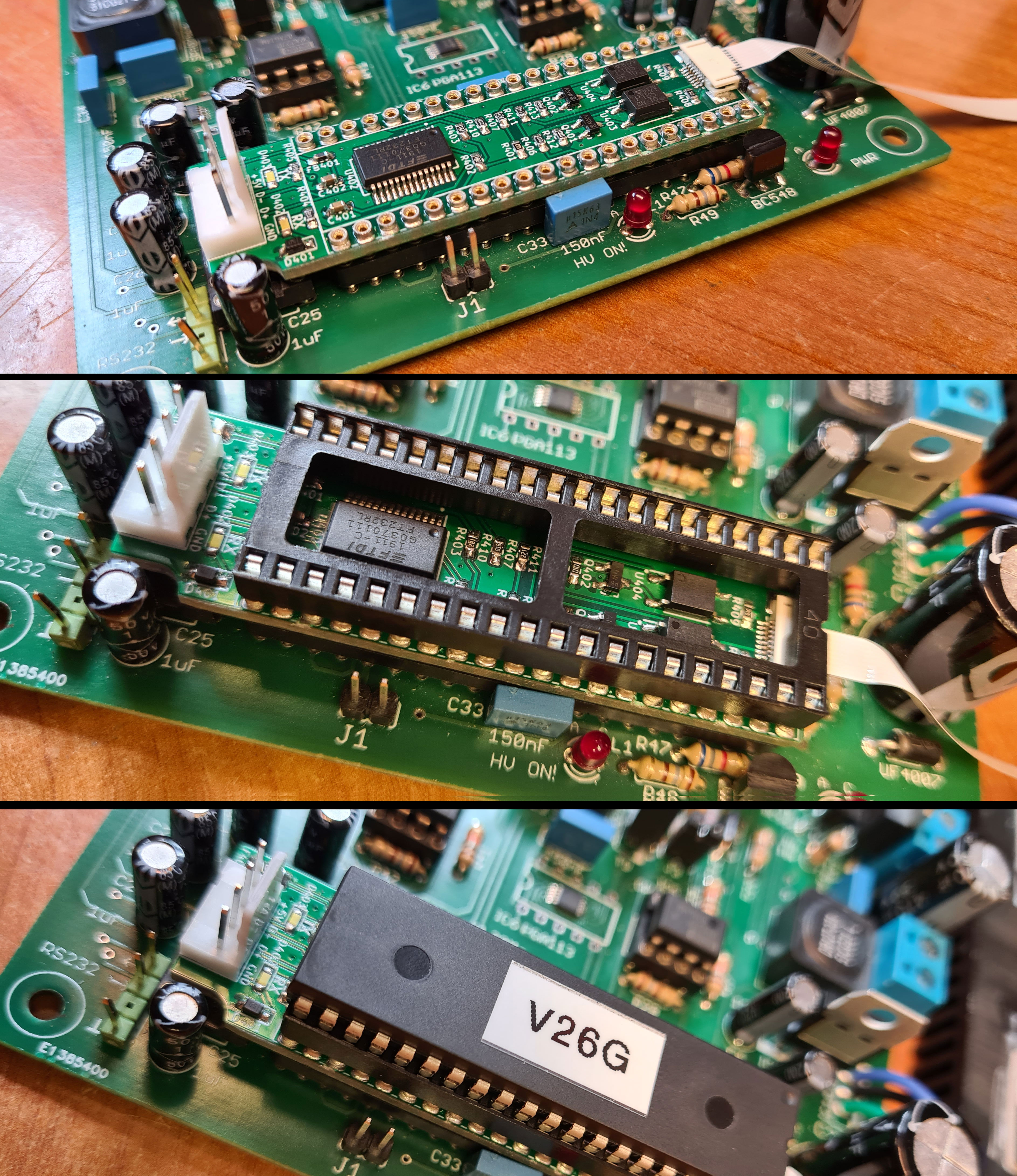
Next step was to create a more permanent interface based on the FT232RL. The DIP40 footprint of the PIC is large enough for a custom adapter board to fit between the IC socket and the PIC, and this socket gives access to the needed I/O pins on the PIC, in addition to 5V and GND.
I came up with this schematic:
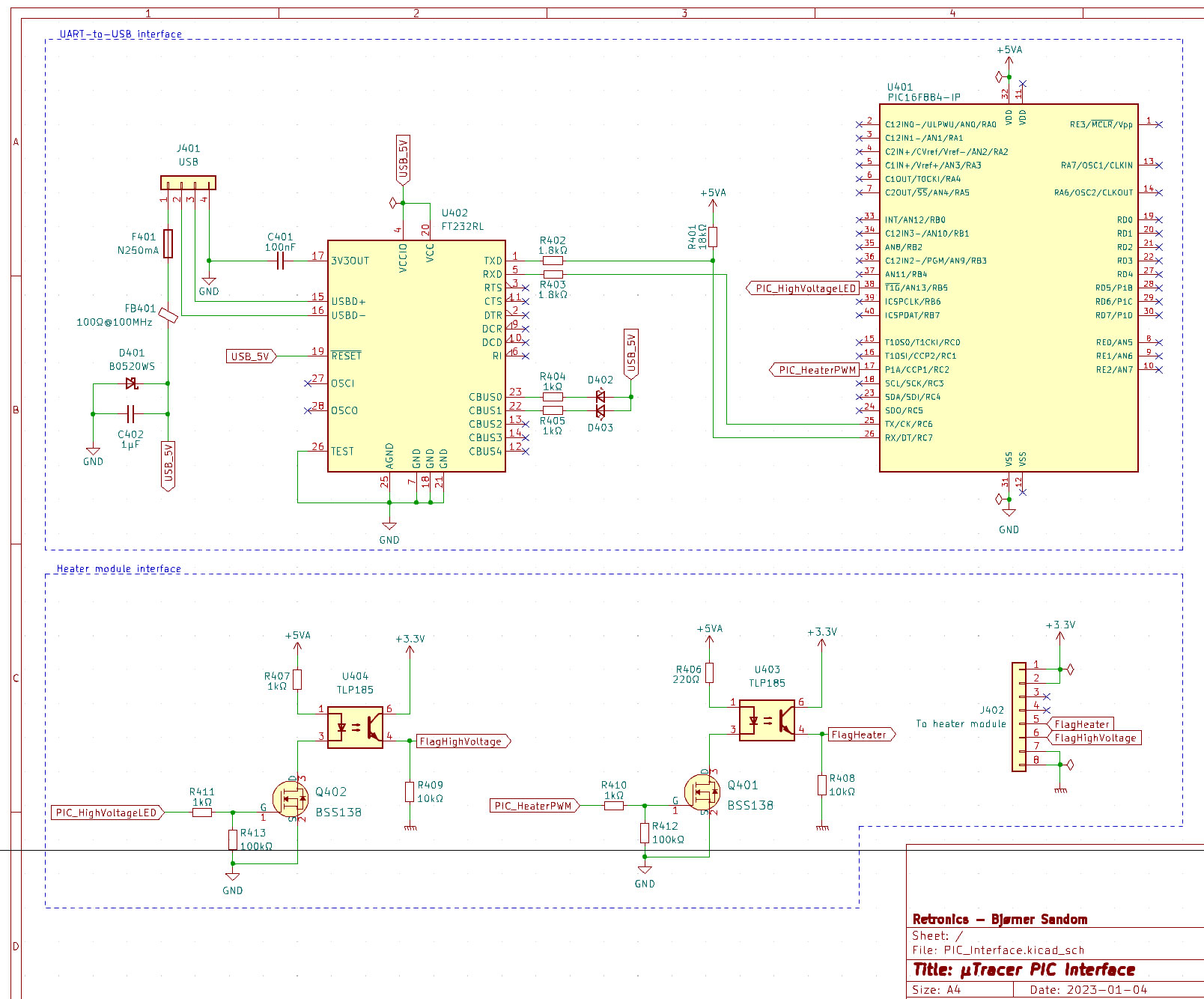
The schematic is segmented in two blocks: one for the USB interface and one with an optoisolated interface towards a custom designed heater module, which will be described in a later post. The USB interface circuit is mostly designed on basis from the FT232RL datasheet.
PCB design in KiCad. Production files (Gerber) and KiCad design files are shared on this project’s GitHub repository.


Next post is about testing the on-board heater supply.


 Retronics
Leave a reply to havebra Cancel reply